Multiverse Portal Character Arrival Video
A detailed prompt for generating cinematic multiverse portal scenes where characters emerge with consistent visual identity and cinematic quality.
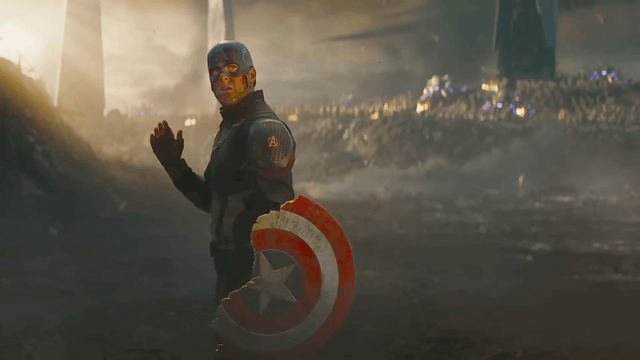
🤖 Works with: Minimax H3 R2V
The Prompt
Copy and paste — replace anything in [brackets].
subject_definitions: is [CHARACTER 1] from , preserving the visual identity, costume, proportions, accessories, and visual style shown in the reference image. is [CHARACTER 2] from , preserving the visual identity, costume, proportions, accessories, and visual style shown in the reference image. is [CHARACTER 3] from , preserving the visual identity, costume, proportions, accessories, and visual style shown in the reference image. summary: [reference generation] A 5-second cinematic multiverse portal arrival. Three characters emerge from a consistent amber-orange portal and take a calm, confident formation. retention_analysis: (appears in [Shot 1]): fully_preserved - retains the identity, costume, proportions, accessories, and visual style shown in . (appears in [Shot 1]): fully_preserved - retains the identity, costume, proportions, accessories, and visual style shown in . (appears in [Shot 1]): fully_preserved - retains the identity, costume, proportions, accessories, and visual style shown in . detailed_description: A 5-second cinematic portal-arrival scene at dusk. One stable medium three-shot, framed from the knees up. No dialogue, no combat, no wide landscape, no camera movement, and no crowd. Portal continuity: a large circular amber-orange portal stands behind the characters. It has a bright rotating outer ring, a darker transparent centre, floating gold sparks, gentle smoke, and a low resonant hum. Keep its colour, size, brightness, particle density, and rotation speed consistent across every portal-arrival clip. [Shot 1] steps through the portal first and takes the centre position with quiet confidence. emerges on one side, naturally adjusts or lowers any item they are carrying if applicable, then gives a focused glance toward the unseen distance. walks through last, takes position on the opposite side, and calmly surveys the scene. The three hold a poised, united stance as the portal flickers and golden particles drift around them. Their expressions and body language remain confident and appropriate to their individual character identities. overall_soundscape: Low portal hum, soft wind, subtle movement from clothing or equipment, and drifting golden sparks. No speech. non_diegetic_music: A restrained cinematic rise builds across the shot and resolves on a calm, confident note.What it’s good for
Generate cinematic video sequences of characters emerging from multiverse portals while maintaining consistent character appearance and visual effects. Ideal for creating short fantasy/sci-fi scenes with multiple characters.
How to use it
- Replace [CHARACTER 1], [CHARACTER 2], [CHARACTER 3] placeholders with specific character names and sources
- Provide reference images for each character to maintain visual consistency
- Adjust portal details or character actions as needed for your specific scene
Does it actually hold up?
This prompt excels at providing comprehensive cinematic direction with its structured approach to character consistency and visual continuity. The detailed portal specifications—amber-orange color, rotating ring, golden sparks—create reliable visual anchors that help maintain coherence across generations. However, the prompt's weakness lies in its assumption that the AI will correctly interpret character-specific body language and expressions without explicit guidance; for example, if you input 'Gandalf' and 'Iron Man' as characters, the system might struggle to generate appropriate 'character-appropriate action stances' without more specific direction about what makes each character's movement unique. The prompt works best for creators who already have well-defined character references and want consistent portal effects, but it's less suitable for those needing highly specific character performances or complex camera movements. The strict 'no camera movement' limitation makes it ideal for simple establishing shots but restricts creative framing options.
The tweak that makes it better
Add specific character mannerisms to the action descriptions. Instead of 'takes a calm, confident formation,' specify '[CHARACTER 1] adjusts their wizard robe with a wise, surveying gaze' or '[CHARACTER 2] checks their high-tech gauntlet with tactical precision.' This gives the AI concrete visual cues about how each character should behave based on their personality and background, reducing ambiguity in the generated results. The added specificity helps maintain character authenticity beyond just costume consistency.
Curated from the community via Reddit.
